Powerful image selection and masking system made for creators.
Powerful image selection and masking system made for creators.
Versatile and affordable
Enjoy real‑time editing, dynamic polygon selections, and more – Vertimice runs mostly on the GPU and maintains a fully non‑destructive workflow across all tools, effects, and adjustments.
You get all with a one‑time purchase and no subscriptions or hidden fees. Scroll down to discover more
Versatile and affordable
Enjoy real‑time editing, dynamic polygon selections, and more – Vertimice runs mostly on the GPU and maintains a fully non‑destructive workflow across all tools, effects, and adjustments.
You get all with a one‑time purchase and no subscriptions or hidden fees. Scroll down to discover more
One tool to select them all
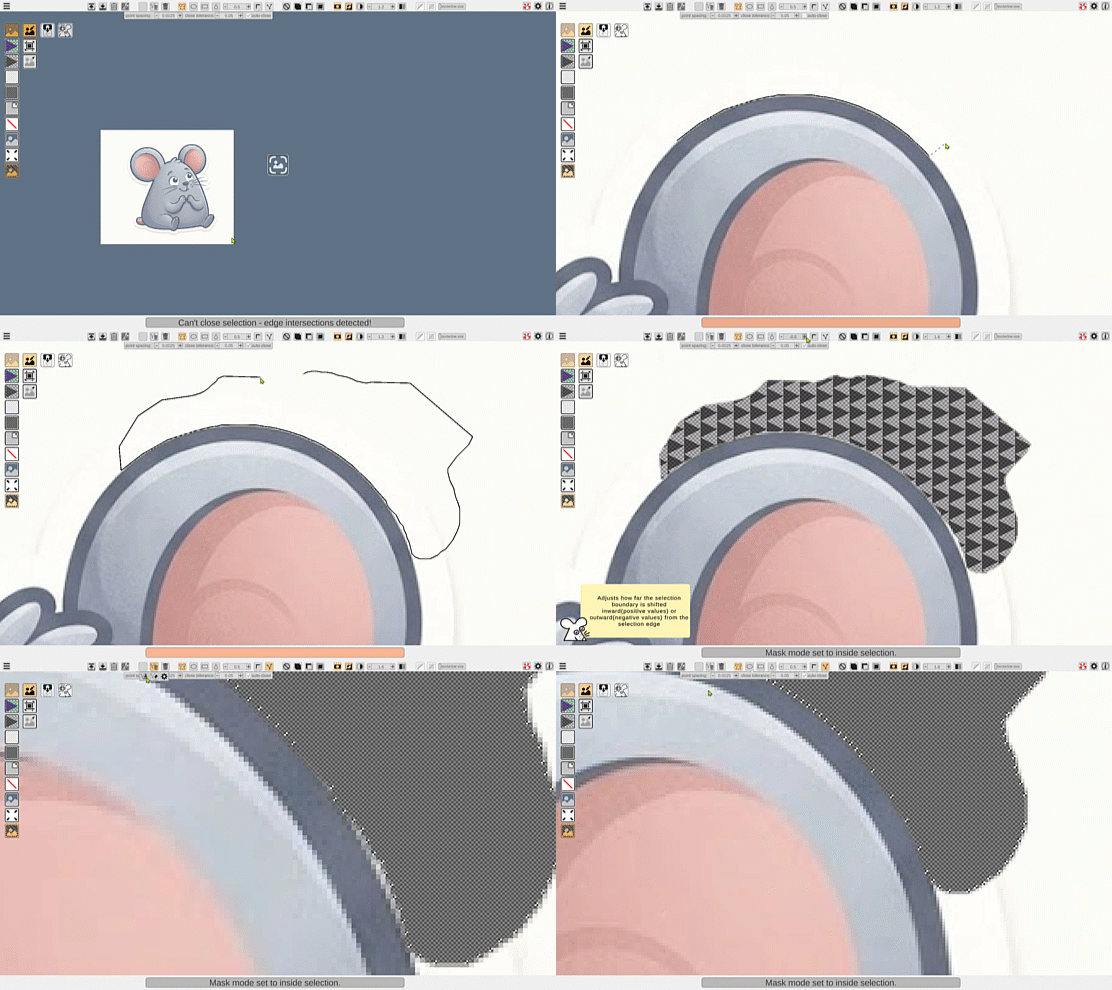
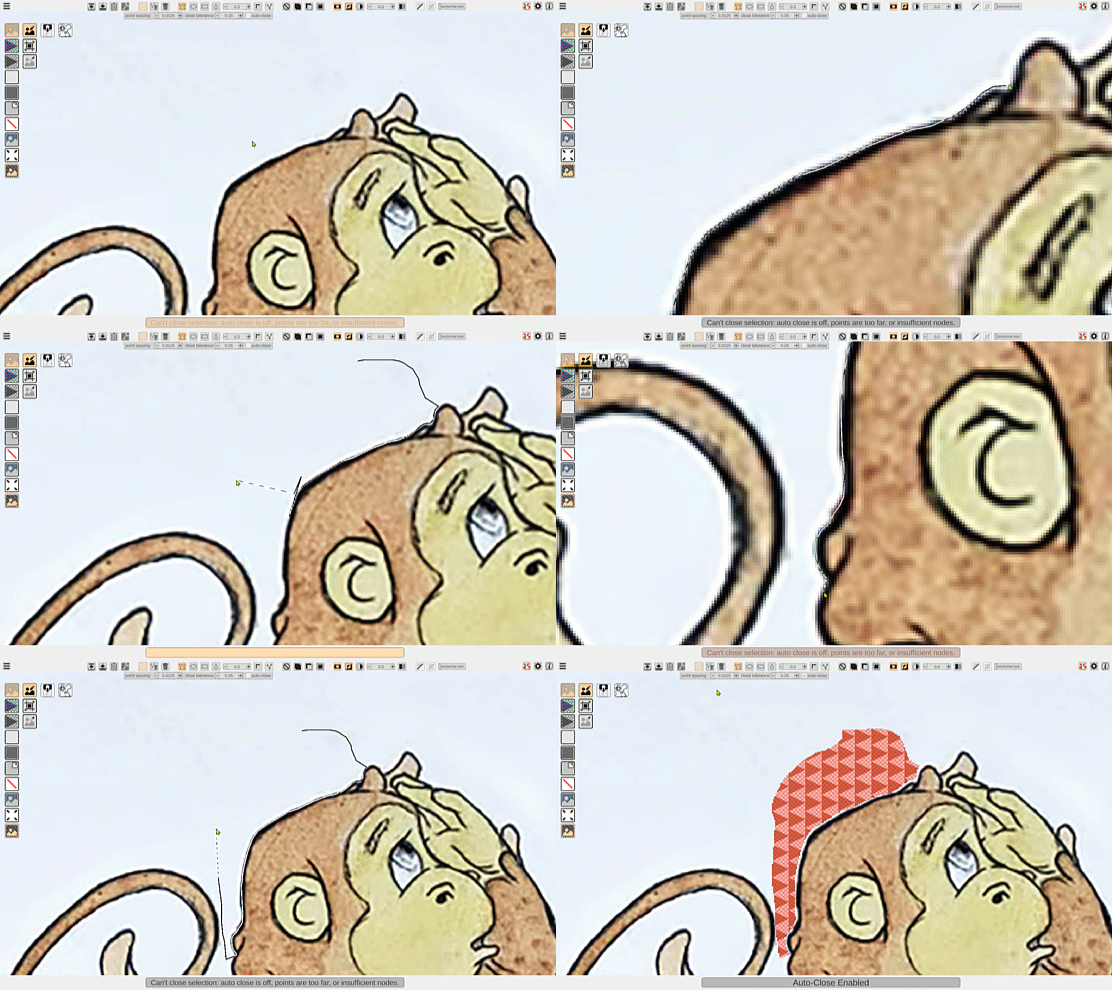
The Adaptive Selection brings polygonal, freehand, and snap tools together in one seamless workflow-offering a level of freedom and flexibility unmatched by any other hand selection tool. Switch tool behavior instantly based on how you click or drag. Continue selections from either end, undo placements, and reposition the selection path as you draw.
One tool to select them all
The Adaptive Selection brings polygonal, freehand, and snap tools together in one seamless workflow-offering a level of freedom and flexibility unmatched by any other hand selection tool. Switch tool behavior instantly based on how you click or drag. Continue selections from either end, undo placements, and reposition the selection path as you draw.
Select similar-color regions
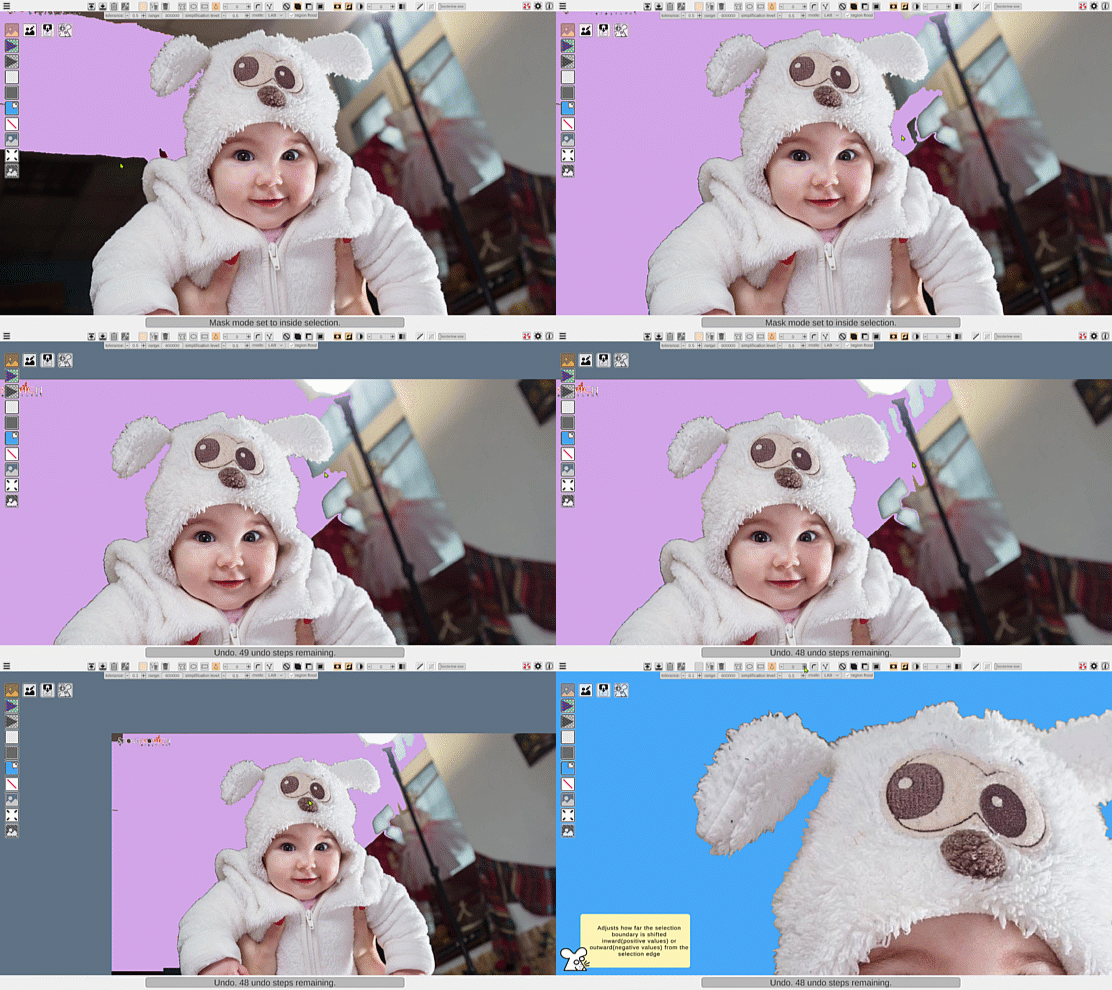
Flood Selection captures continuous color‑connected regions, and you can refine them instantly using Boolean operators – Add, Subtract, or Intersect – which work across all selection tools to expand or adjust the selected areas.
Select similar-color regions
Flood Selection captures continuous color‑connected regions, and you can refine them instantly using Boolean operators – Add, Subtract, or Intersect – which work across all selection tools to expand or adjust the selected areas.
Node based selection editing
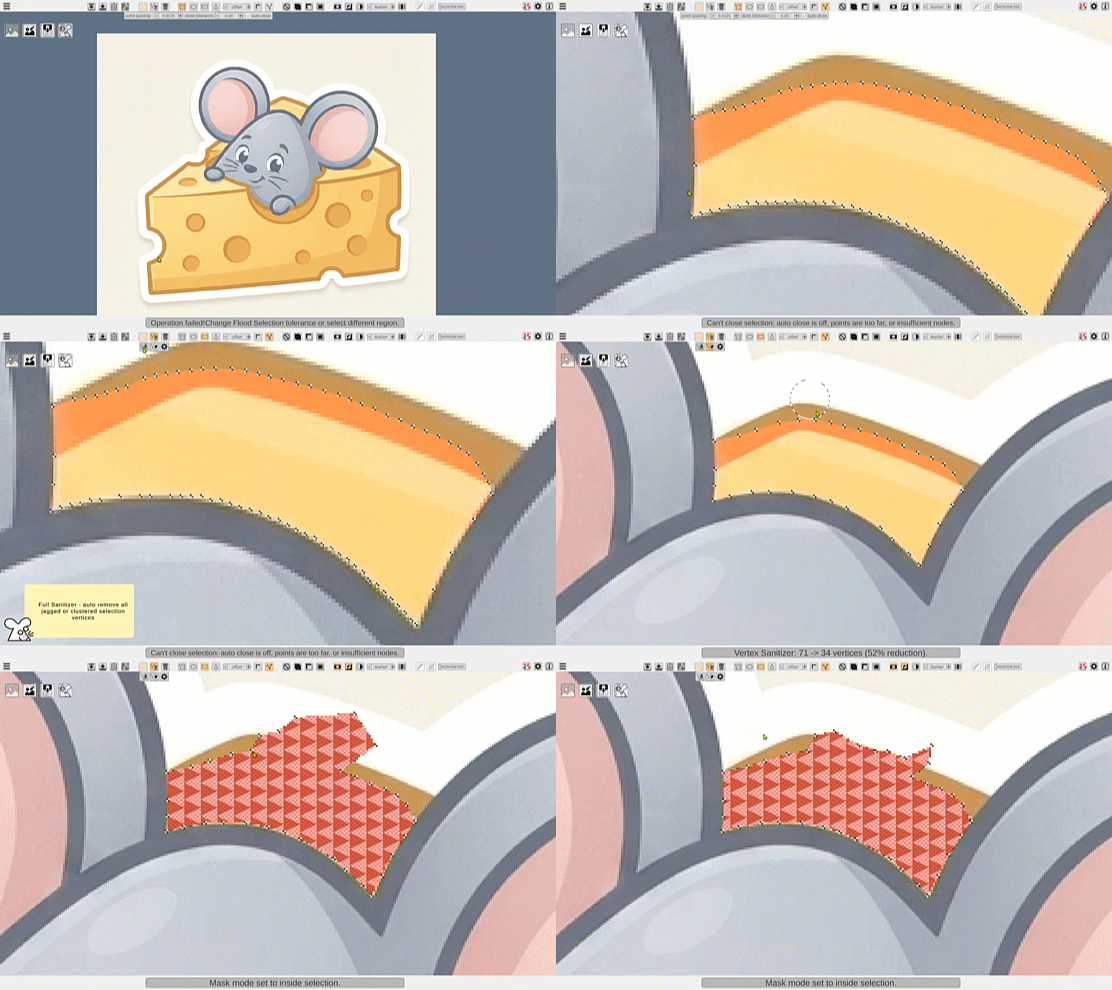
Refine your completed selection with the node‑based Vertex Editor. Move, insert, or delete vertices to adjust the shape. Clean up jagged edges or clustered nodes automatically – or fine‑tune them manually – with the built‑in Vertex Sanitizer.
Node based selection editing
Refine your completed selection with the node‑based Vertex Editor. Move, insert, or delete vertices to adjust the shape. Clean up jagged edges or clustered nodes automatically – or fine‑tune them manually – with the built‑in Vertex Sanitizer.
Advanced edge feathering
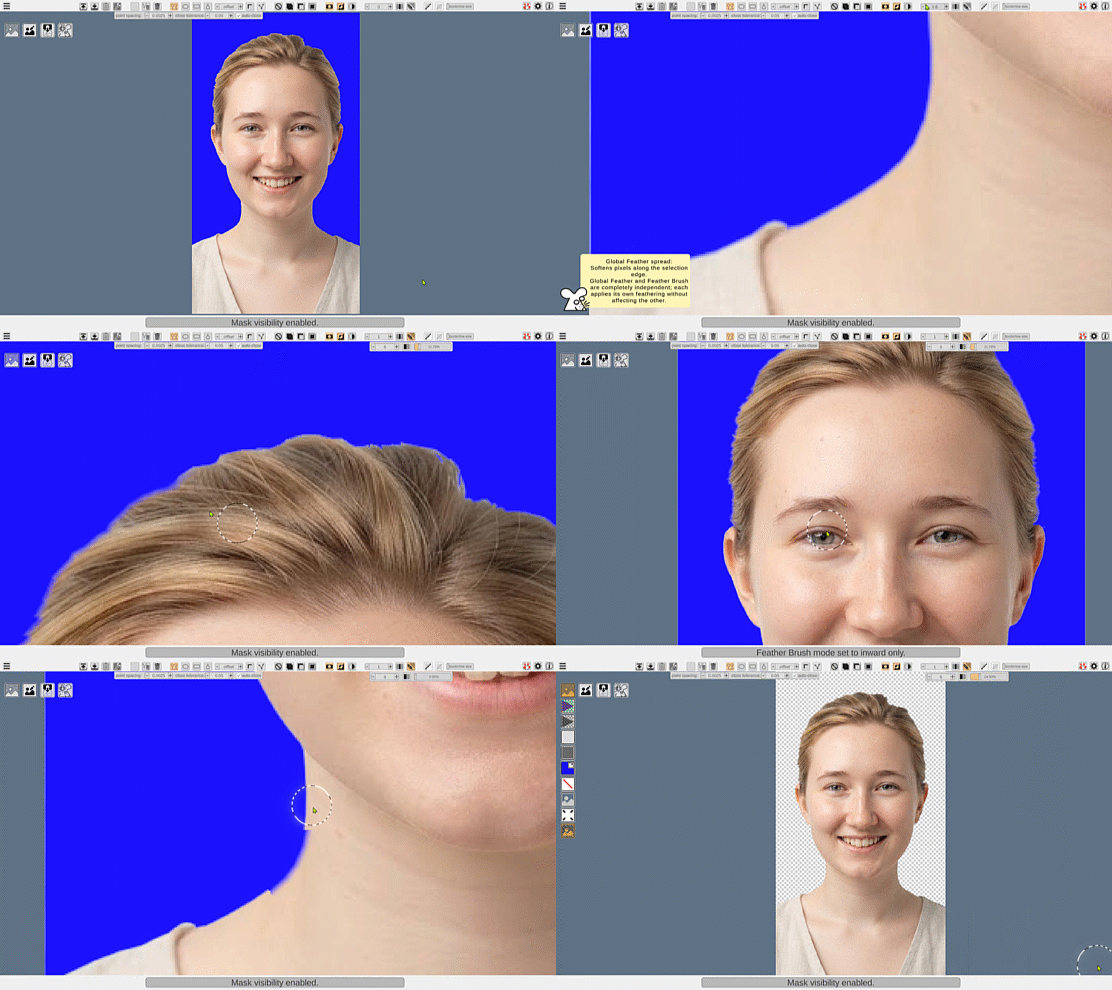
Soften selection edges with custom directional control that lets you spread transitions outward, inward, or both ways at once. Need localized control? Use the Feather Brush, a Vertimice exclusive tool that lets you paint custom feather settings directly onto specific edge segments in real time, with an effect that is completely independent of the global feathering.
Advanced edge feathering
Soften selection edges with custom directional control that lets you spread transitions outward, inward, or both ways at once. Need localized control? Use the Feather Brush, a Vertimice exclusive tool that lets you paint custom feather settings directly onto specific edge segments in real time, with an effect that is completely independent of the global feathering.
Selection Offset
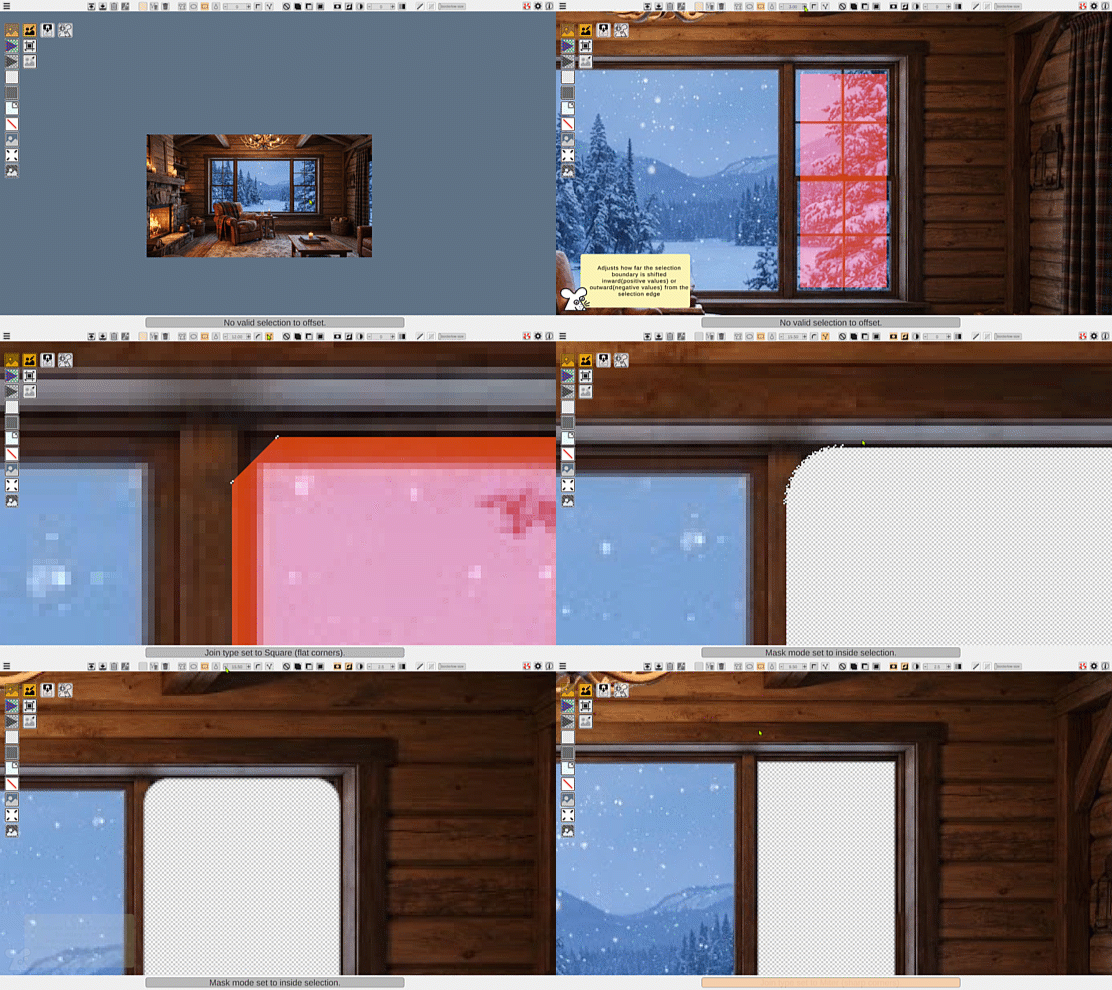
Selection Offset shifts the entire selection inward or outward, letting you contract or expand regions with pixel‑accurate control, and offers three corner types – miter(default-sharp), square(flat), and round. When combined with the unique directional feathering, this workflow unlocks unparalleled flexibility for edge refinement.
Selection Offset
Selection Offset shifts the entire selection inward or outward, letting you contract or expand regions with pixel‑accurate control, and offers three corner types – miter(default-sharp), square(flat), and round. When combined with the unique directional feathering, this workflow unlocks unparalleled flexibility for edge refinement.
Automation
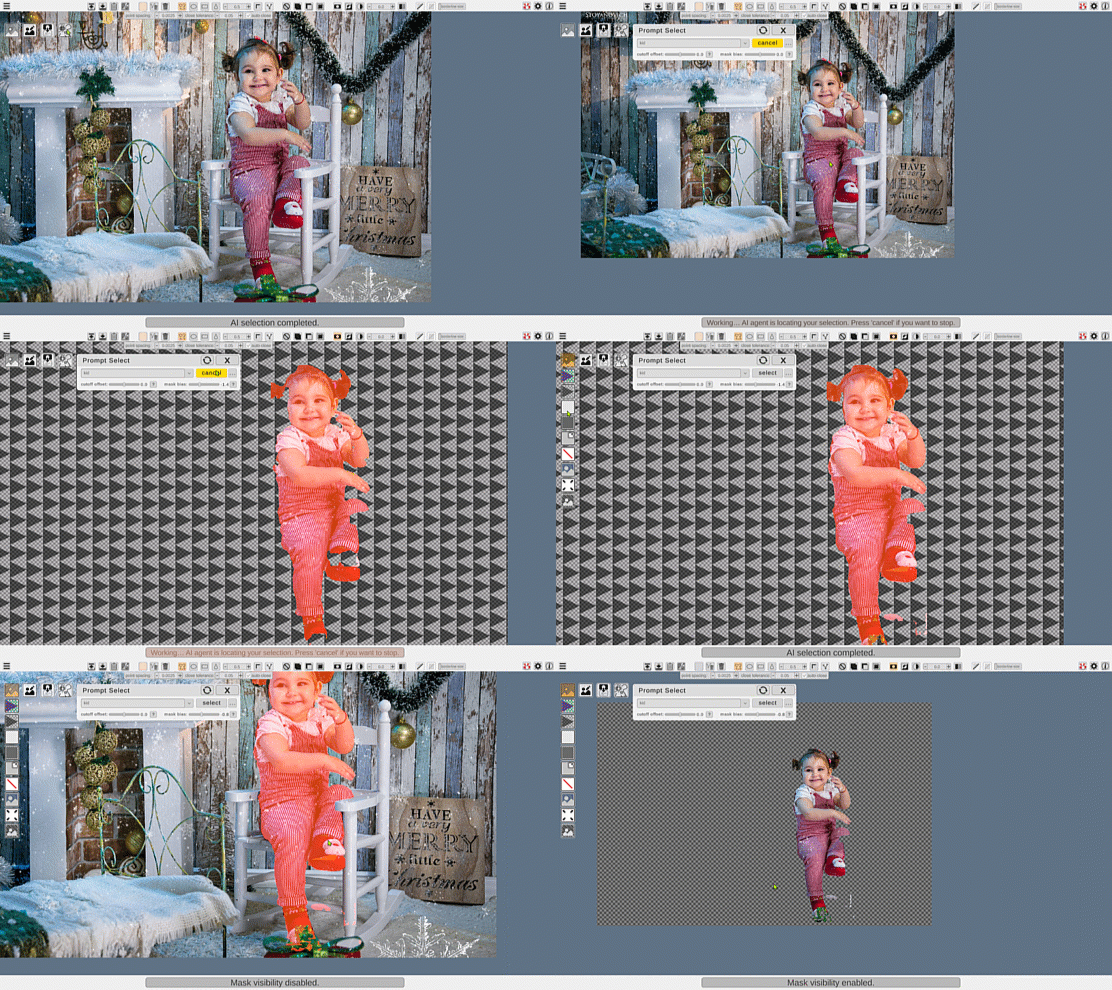
Prompt Selection is an optional AI‑powered Vertimice module that lets you select objects by describing them in plain text. It’s completely free, fully local, and ready to download and use instantly. It runs entirely on your computer with no cloud processing and no paid tokens or credits whatsoever.
Automation
Prompt Selection is an optional AI‑powered Vertimice module that lets you select objects by describing them in plain text. It’s completely free, fully local, and ready to download and use instantly. It runs entirely on your computer with no cloud processing and no paid tokens or credits whatsoever.
Fluid masking experience
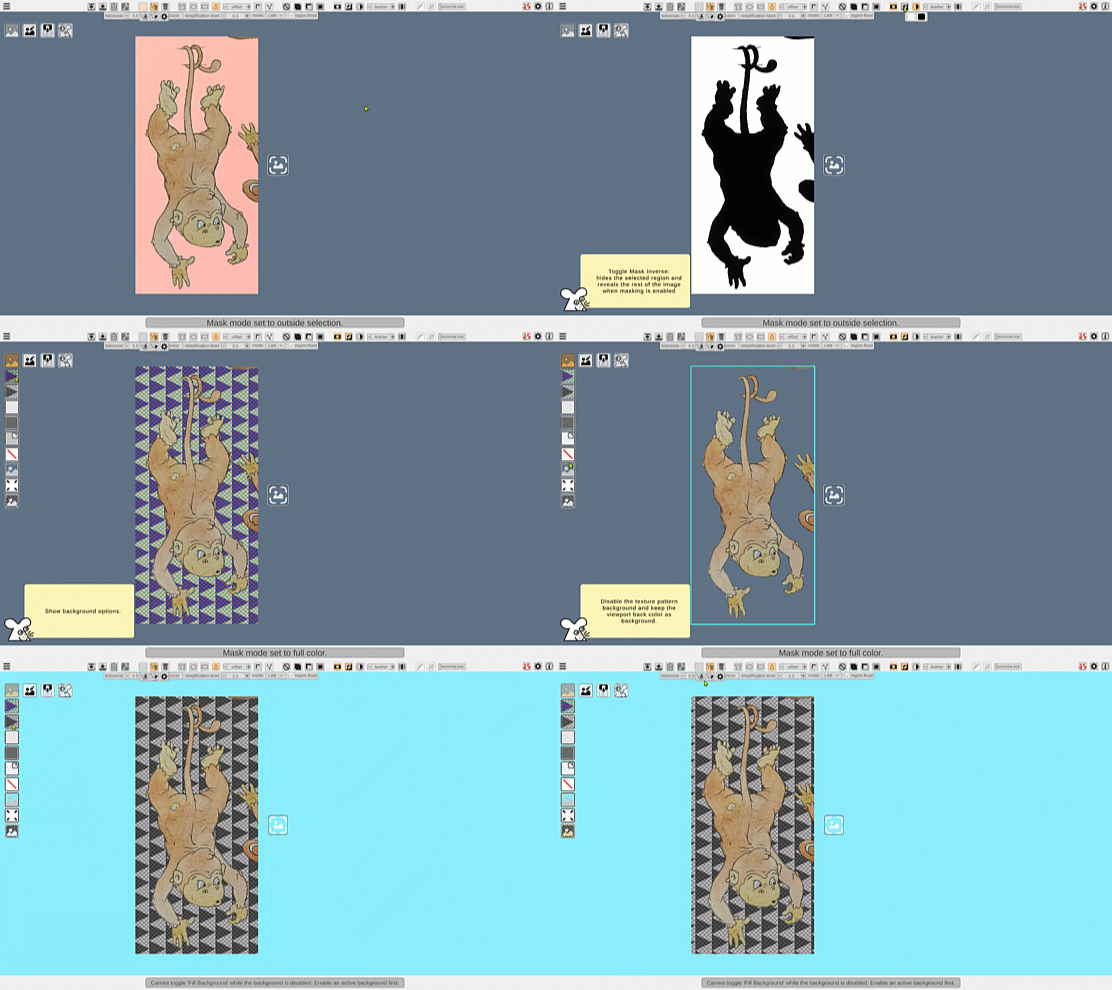
Toggle masking in real time, invert it, or make it monochrome – all while your original image remains intact. Choose from multiple background patterns to make the image stand out more clearly. Use the scrolling background to avoid pixel camouflage when masked pixels match the background pattern.
Fluid masking experience
Toggle masking in real time, invert it, or make it monochrome – all while your original image remains intact. Choose from multiple background patterns to make the image stand out more clearly. Use the scrolling background to avoid pixel camouflage when masked pixels match the background pattern.